How to End Up Receiving Spam Calls and Protect Your Phone

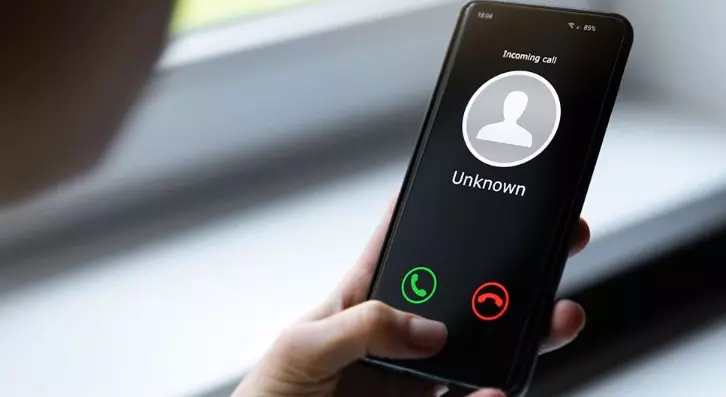
Recently, there has been a surge in spam calls as scammers embrace auto-dialers and VoIP to make thousands of calls cheaply. The rise is also due to increased data breaches and the subsequent sale of victims’ data on the dark web. There are other instances of people willingly signing up for spam calls for research, out of curiosity, or to test spam filters.
Whatever the reason, one thing is true: spam calls are a nuisance. Disruptions, scams, and frauds are just some of the ills caused by these calls. In this article, we’ll walk you through how to protect yourself from unwanted calls and their nuisance.
(Source: FamiGuard)
How People End Up Receiving Spam Calls
Before proceeding, we must understand how people end up receiving spam calls. There are several common reasons for this, as well as some rare ones.
The most common reason you may be receiving unwanted calls is that you registered your number on an untrustworthy website. There are a ton of these nowadays, from fake job recruitment sites to charities and even business directories. Such platforms do not give visitors full disclosure, which often includes agreeing to receive unsolicited marketing calls.
If you bumped into an eyecatching ad while scrolling online and clicked on it, it is possible that it is the reason you are getting spam calls. Ads are everywhere nowadays and distinguishing genuine ones from suspicious ones requires advanced skills. Often, when you click on a suspicious ad, it will prompt you to sign up for spam calls disguised as entry into a giveaway, and with that, you are in their database.
Genuine platforms like shopping websites can be hacked, exposing customer data in the process. Hackers often auction this data on the dark web, where spam callers bid on it to add to their list of phone numbers to call.
Why Protecting Your Phone from Spam Calls is Essential
Guarding your phone from spam calls is essential for many reasons, chief among them being the need to prevent fraud. Spam calls are notorious for phishing attacks, with callers often probing you for personal information that they will use to steal your identity and engage in financial fraud with it. When it comes to seniors and other unaware people, spam calls can lure them into sending money for dubious charity and sweepstake claims.
With kids nowadays accessing mobile phones at a young age, parents need to protect them from spam calls. Scammers calling your child may lie to them to send money, share their parent's critical information like social security number and bank account, or even lure them to sign up for inappropriate or unauthorized services.
You need a reliable parental control and security tool to block spam calls and avoid all these risks. FamiGuard Pro is the undisputed solution for blocking spam calls, filtering unknown numbers, and monitoring call activity in real-time.
FamiGuard Pro works in stealth mode, allowing you to monitor your child’s call logs to identify potential spam calls. You can record and listen to the call to know what your child is talking about. The app also lets you blacklist some contacts that you do not want to communicate with your child. This way, you can keep common spam callers at bay, ensuring they don’t get the chance to scam your loved one.
(Source: FamiGuard)
In addition to monitoring call logs, recording audio, and blocking contacts, FamiGuard Pro is a comprehensive parental control tool. It can help you track your teenager’s social media use, who they chat with, and the content of their messages, including shared media. You can also set screen time limits, take screenshots, track GPS location in real-time, and geo-fence their movements to enhance safety.
How to Set Up FamiGuard Pro for Spam Call Protection
FamiGuard Pro has an easy setup process that allows you to get started using the app once you register and select a plan. Below is a step-by-step process to guide you.
Visit the FamiGuard website and sign up for a FamiGuard Pro account. Ensure to use a valid email address and set a secure password.
Select the plan that suits your needs from the available options, which include 30-day, 90-day, and annual plans.
Download the app and install it on the target device. Follow the prompts to ensure you set up the app correctly and allow necessary permissions.
Log into your FamiGuard Pro account and access your dashboard. Navigate to Phone Files, then Call Logs to view the entire call log and block any spam calls. You can also view contacts in the bound device and block any suspicious or spam contacts.
Once everything is set up, return to your dashboard whenever necessary to monitor activity in the connected device. Simply click on what you want to monitor, and get real-time updates.
(Source: FamiGuard)
Once you’ve set up FamiGuard Pro on your child’s device, it continues to work in silence without notifying him or her. This way, you are guaranteed that your teenager will not attempt to uninstall the app without your knowledge or engage in any activity on the device, such as talking with scammers.
Other Methods to Reduce Spam Calls
There are alternative ways you can explore to help you reduce the number of spam calls you receive. Most smartphones today come with built-in spam call protection features.
On Android devices, you can enable this feature in the Phone app under call settings;
- Tap to open the Phone app.
- Tap on the three-dot menu to the top right and select Settings.
- Toggle ON to enable spam call blocking.
For iOS users, your device allows you to silence unknown callers and send them directly to voicemail.
- Open the Settings App.
- Navigate to Phone.
- Tap Silence Unknown Callers and toggle ON.
Other approaches to reducing spam calls include registering with Do Not Call lists to exclude you from spam call directories. You should also avoid engaging with robocalls and unknown numbers.
Conclusion
In a time when businesses are employing aggressive marketing techniques and scammers are embracing advanced technology, spam call protection is a must-have. Spam calls have a penchant for disrupting normal daily activities, including work, sleep, and learning. As such, blocking spam callers can ensure you are more productive and guard you from potential scams and frauds.
FamiGuard Pro is an effective parental control tool designed to help you ward off spam callers. It consistently tracks calls in real-time, identifying known spam callers and allowing you to block them with one click. The app works well for protecting your kids, too, you can remotely monitor their call logs and blacklist spam numbers. Get started now with a free account.