Best 8 Online Whiteboard Software to Try in 2026

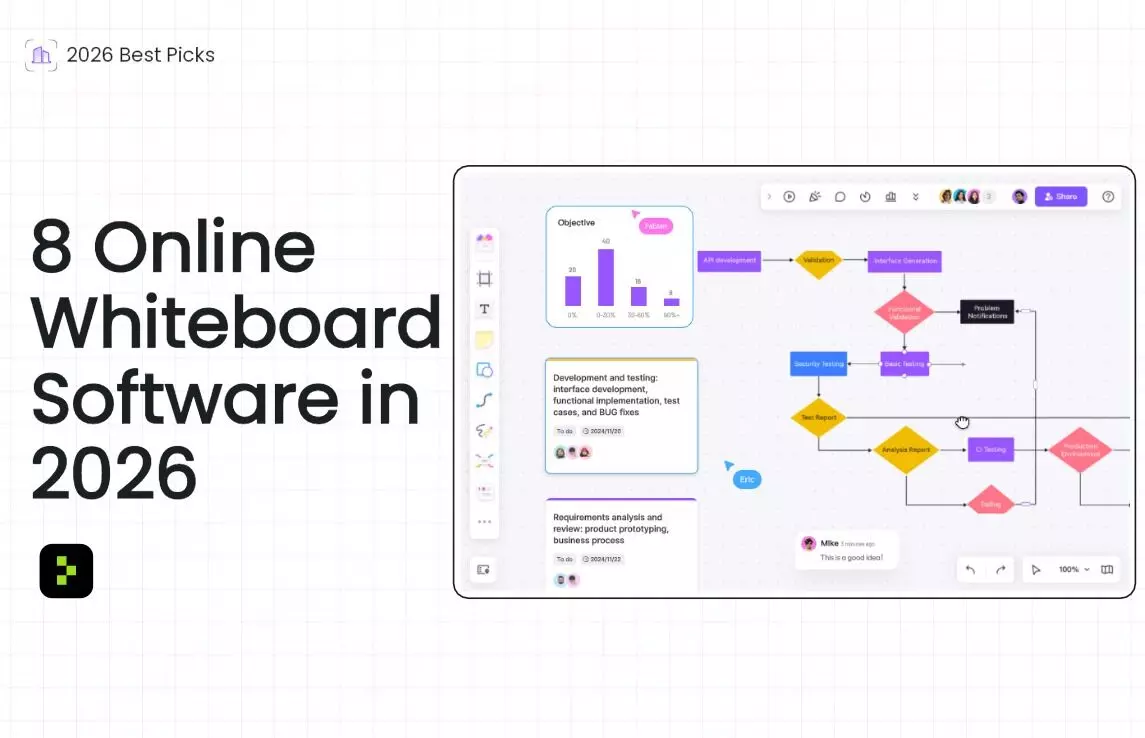
The digital workspace is no longer a nice-to-have; it's the operational backbone of the modern, distributed team. Whether you're brainstorming the next big idea, mapping out a complex project, or running a retrospective with a team spread across three continents, the right online whiteboard can be the difference between friction and flow. But with so many options, how do you choose?
I've been remotely collaborating and testing software for over a decade. For this list, I spent months putting the top contenders through their paces, evaluating them on everything from the intuitiveness of their canvas to the power of their collaboration features. The results are in: these are the eight online whiteboards that are truly worth your team's time in 2026.
The best 8 online whiteboards at a glance
Tool | Best for | Standout Features | Pricing |
Boardmix | All-in-one AI-powered collaboration | Built-in AI assistant, vast template library, multi-format export | Free plan with generous limits; Premium from ~$8/user/month |
Miro | Enterprise-grade ecosystem and integrations | Unlimited canvas, extensive app integrations, mature platform | Free for 3 boards; from $10/user/month |
Mural | Structured facilitation and workshops | Guided templates, facilitator toolkit, strong focus on UX | Free for 3 murals; from $12/user/month |
Lucidspark | Visual brainstorming and mind mapping | Smart formatting, intuitive UI, integration with Lucidchart | Free for 3 docs; from $7.95/user/month |
Microsoft Whiteboard | Microsoft 365 teams | Deep Teams integration, native Windows/Microsoft feel | Free basic version; full features with Microsoft 365 subscription |
ClickUp Whiteboards | Turning ideas into tasks instantly | Native task creation, seamless within ClickUp ecosystem | Included in all ClickUp plans, including Free Forever |
FigJam | Design team collaboration | Tighter integration with Figma, fun and intuitive tools | Free for 3 files; from $5/user/month (with Figma) |
Freehand | Fast, intuitive design-led collaboration | Smooth vector drawing, great for wireframing, clean interface | Free plan with unlimited hands; from $9.95/user/month |
What makes the best online whiteboard?
Our recommendations are based on hands-on testing and real-world use. We spend dozens of hours using each app as a team would, focusing on core criteria like the collaboration experience, canvas flexibility, template quality, and integration capabilities.
A great online whiteboard does more than just replace a physical board. It should feel like an infinite, collaborative space that adapts to your workflow. Here’s what I prioritized:
Infinite, Intuitive Canvas: The digital realm should free you from physical limits. I looked for smooth, unlimited canvases that are easy to zoom and navigate.
Real-time & Async Collaboration: Multiple users should be able to work together seamlessly, with features like cursors, comments, and voting.
AI as a True Assistant: In 2026, AI should do more than generate images. The best apps use it to summarize content, organize ideas, and suggest next steps.
Integration Ecosystem: A whiteboard shouldn't be an island. Its value multiplies when it connects with the other tools your team uses daily.
Accessibility & Performance: It needs to work reliably on the web and on mobile devices, with a low barrier to entry for guests.
The Best 8 Online Whiteboards in 2026
1. Boardmix: Best for all-in-one AI-powered collaboration
Boardmix pros:
- Deeply integrated AI assistant for summarizing, mind mapping, and generating content.
- Surprisingly robust free plan that's great for small teams.
- Supports embedding a wide variety of file types directly onto the canvas.
- Mostli like Miro’s whiteboard features and operation, featured as a Miro alternative for collaboration teams.
- Providing special enterprise edition and SDK edition for better data security and internet visiting, hosting data within the company's internal environment.
Boardmix cons:
Its integration ecosystem isn't as mature as Miro's, limited to ZOOM, Microsoft Teams, Skype, and Google Meeting.
Boardmix has rapidly emerged as a formidable AI online whiteboard by betting big on AI capability. Its built-in AI assistant isn't just a sidebar feature; it's woven into the fabric of the tool. You can select a cluster of sticky notes and have the AI summarize them in seconds, generate a mind map from a text prompt, or even brainstorm a list of potential risks for a project plan. For teams looking to supercharge their ideation and synthesis phases, Boardmix is hard to beat.
Beyond AI, it offers a comprehensive feature set with a massive template library, real-time collaboration, and smooth presentation modes. Its pricing is also highly competitive, making it an excellent value proposition.
Boardmix pricing: Free plan with unlimited members and up to 3 boards; Premium plan for starters starts at approximately $4 per user/month.
2. Miro: Best for enterprise-grade ecosystem and integrations
Miro pros:
- The most mature platform with the widest array of native integrations.
- Powerful for complex workflows from ideation to project management.
- Vast community and template library.
Miro cons:
Can feel complex and overwhelming for new users.
Membership costs are on the higher side, and for folks on a tight budget, those monthly subscriptions can feel like a real strain.
Miro’s strength lies in its scale and maturity. If you need to integrate with everything from Jira and Slack to Asana and Google Drive, Miro likely has a robust, native integration for it. The canvas is virtually limitless, capable of handling massive, multi-layered projects for large organizations. Its AI features are also steadily improving, offering diagram generation and content creation.
For large, distributed enterprises that need a single, powerful visual collaboration hub, Miro is a capable bet.
Miro pricing: Free for 3 editable boards; Starter plan from $8/user/month.
3. Mural: Best for structured facilitation and workshops
Mural pros:
- Superior facilitation tools like timers, private mode, and voting.
- Templates come with clear facilitator instructions.
- The most intuitive and joyful user experience for participants.
Mural cons:
Offers less free-form creative freedom compared to Miro.
Mural is the tool of choice for professional facilitators and teams that value structure and inclusion in their meetings. Its templates for design sprints, retrospectives, and workshops are meticulously designed with clear guidelines. Features like anonymous voting and a "super-facilitator" mode ensure that every voice is heard and meetings stay on track. The interface is clean and intuitive, reducing the learning curve for new participants.
If your primary use case is running effective, engaging, and outcome-driven remote workshops, Mural is unparalleled.
Mural pricing: Free for 3 murals; Team+ plan from $10/user/month.
4. Lucidspark: Best for visual brainstorming and mind mapping
Lucidspark pros:
- Excellent, intuitive mind mapping and freehand drawing tools.
- "Smart Lists" and auto-organization keep boards tidy.
- Seamless integration with Lucidchart for diagramming.
Lucidspark cons:
Can feel less comprehensive for full-project management.
Lucidspark is a brainstorming powerhouse. It feels incredibly fluid and responsive, especially when using its freeform drawing tools or building out complex mind maps. Its AI, like its "Board Assistant," is great at automatically sorting and tagging ideas to reveal patterns. For teams that live in the Lucid suite, its integration with Lucidchart is a killer feature, allowing you to easily evolve a brainstorm into a formal diagram.
It’s the ideal tool for pure, unadulterated ideation and organizing complex thoughts visually.
Lucidspark pricing: Free for 3 active documents; from $7.95/user/month.
5. Microsoft Whiteboard: Best for Microsoft 365 teams
Microsoft Whiteboard pros:
Deeply integrated with Teams and the Microsoft 365 suite.
Frictionless for anyone already in the Microsoft ecosystem.
Simple, familiar interface.
Microsoft Whiteboard cons:
Lacks the advanced features and extensive integrations of dedicated platforms.
If your organization runs on Microsoft 365, this is your path of least resistance. Microsoft Whiteboard is built directly into Teams meetings and syncs with your Microsoft account. Starting a whiteboard during a call is instantaneous, and participants don't need to think about another login. It covers all the basics well like sticky notes, templates, drawing, and is constantly improving.
It may not have the bells and whistles of Miro or Boardmix, but its seamless integration makes it a powerful, no-cost addition for Microsoft-centric teams.
Microsoft Whiteboard pricing: Free basic version; full feature set included with a Microsoft 365 subscription.
6. ClickUp Whiteboards: Best for turning ideas into tasks instantly
ClickUp Whiteboards pros:
Converts any whiteboard element into a trackable ClickUp task in one click.
Completely seamless within the ClickUp environment.
Clean and focused on action.
ClickUp Whiteboards cons:
A feature within a larger project management tool, not a standalone powerhouse.
ClickUp Whiteboards solves the biggest problem in brainstorming: the handoff from ideas to execution. If your team uses ClickUp for project management, this feature is a game-changer. You can brainstorm with sticky notes and shapes, and then instantly transform them into tasks with assignees, due dates, and priorities, all without leaving the canvas. It bridges the gap between ideation and implementation like no other tool on this list.
ClickUp Whiteboards pricing: Included in all ClickUp plans, including the robust Free Forever plan.
7. FigJam: Best for design team collaboration
FigJam pros:
Near-perfect integration with the Figma design environment.
Fun, playful tools that designers love.
Powerful AI for creating templates and organizing content.
FigJam cons:
Feels awkward to use as a standalone tool if you're not a Figma user.
FigJam is, without a doubt, the best online whiteboard for design teams that live in Figma. The barrier between a design file and a whiteboard is virtually non-existent. You can copy-paste elements between them, use shared component libraries, and gather feedback in a dedicated, low-fidelity space. Its AI can generate entire workshop templates from a prompt and organize sticky notes automatically.
For any product or design team, FigJam is an essential companion to Figma.
FigJam pricing: Free for 3 FigJam files; Professional plan from $5/user/month (bundled with Figma).
8. Pixso Whiteboard: Best for seamless integration with the design process
Pixso Whiteboard pros:
Deep, native integration with the Pixso design environment for a smooth workflow.
Comprehensive toolkit covering the entire product lifecycle, from ideation to iteration.
Strong focus on product manager and designer workflows with targeted templates.
Pixso Whiteboard cons:
Its value is maximized within the Pixso ecosystem, similar to FigJam with Figma.
Pixso Whiteboard is the cornerstone of a unified product development workflow within the Pixso platform. Think of it as the strategic partner to Pixso's high-fidelity design environment. It's built to bridge the gap between initial brainstorming and final design execution seamlessly.
The whiteboard provides a one-stop solution for the entire product workflow. Product managers can use it to review requirements, plan with product roadmaps, and track progress. Designers can accumulate inspiration by pasting case images directly onto the canvas, building an exclusive resource library. The entire team can then collaborate in real-time on an infinite canvas, using a rich set of creative tools like brushes, mind maps, and connecting lines.
Pixso Whiteboard comes packed with exquisite templates for user journey maps, personas, and mind maps, accelerating the initial phases of any project. For remote collaboration, it integrates with Zoom and allows presenters to guide participants with their cursor, making online meetings more interactive and productive. If your team is already using or considering Pixso for prototype, UI, and UX design, the Whiteboard is the natural and powerful starting point for your entire creative process.
Pixso Whiteboard pricing: A free plan is available with 3 editable boards. Its paid tiers starts at only $2/month if you paid yearly.
Which online whiteboard should I use?
The best choice comes down to your team's primary workflow and existing toolkit.
For AI-powered ideation and value, choose Boardmix.
For large enterprises needing a vast, integrated ecosystem, choose Miro.
For professionally facilitated workshops and retros, choose Mural.
For intuitive brainstorming and mind mapping, choose Lucidspark.
If you live in Microsoft Teams, choose Microsoft Whiteboard.
To seamlessly turn ideas into tasks in ClickUp, choose ClickUp Whiteboards.
If your design team uses Figma, choose FigJam.
For a seamless, all-in-one product design workflow within Pixso, choose Pixso Whiteboard.
No matter your team's size or style, one of these eight top-tier online whiteboards is ready to transform your collaboration in 2026.