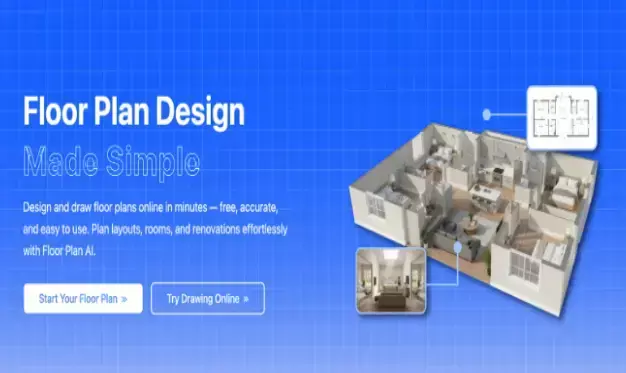
Create Stunning 3D Visualisations: The Power of Converting Your Floor Plan

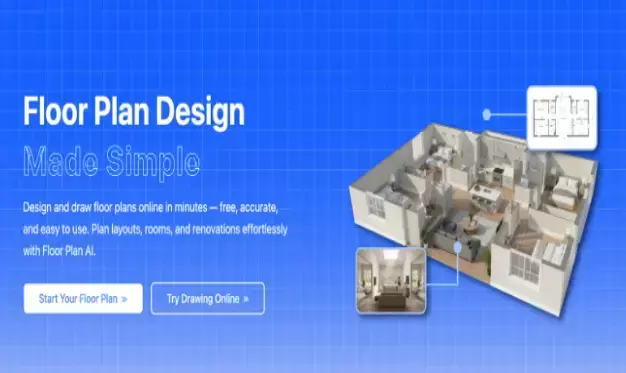
Transform your floor plans into stunning 3D visualisations to better understand space, design layouts, and enhance real estate presentations with immersive and realistic views.
Space design typically begins with a basic floor plan. However, a flat 2D drawing cannot always provide a clear picture of what it will be like in the space. This is the point where 3D visualisation plays a significant role. When you create your floor plan as a 3D model, you can view your design in a highly realistic way.
You might be creating a new house, remodelling a room, or preparing a house to sell, with 3D, you know everything better. You are given the option to explore the layout, furniture placement, and lighting that make it look like you are inside the space. It renders the entire process more adventurous and realistic.
In this article, we will describe why a floor plan should be converted into 3D, how it enhances your design work, and how you can do it within a short period of time.
How Converting a Floor Plan to 3D Changes the Design Process
Making your floor plan into 3D is not only about the added detail but also a change in the way you work on the whole project. This shift is important in the following way:
Better Understanding of Space
In the 3D, the height, depth, and the entire layout are easy to view. It would be easier to visualize how it will look and feel after being constructed.
Quick Layout Changes
You can change room sizes, walls, and furniture immediately with 3D without having to start over. You have more flexibility as you can easily experiment with various layouts.
Improved Space Planning
With 3D, one gets a better idea of how furniture will fit and how individuals will navigate around the room, and it is best for maximising small rooms or tight spaces.
Faster Decisions
The 3D design enables you to make a decision on materials, finishes, and furniture very quickly. You will have a chance to test out various choices, save time, and make fewer errors.
Easier Collaboration
It is easier to communicate ideas to clients or colleagues by sharing the 3D model. They are able to view the space more closely, ask questions, and give feedback.
Engaging Client Presentations
Clients can study the design, see the end product, and become more confident about the project.
Cut Costs & Save Hours with 3D Floor Plan Visualization
A major benefit of using 3D floor plans is that they can save you from expensive errors. When you are able to view your space clearly, before making any actual changes, it is easier to see the problems early. You can correct layout problems, rearrange furniture, or even reconsider design options without incurring additional cost of materials or labor.
The 3D visualisation saves you a lot of time in the design process as well. It also means that you can quickly change plans without having to redraw them over and over again.
A second advantage is the ease of communication that can save time and money. Whenever you present a 3D model to clients, family members, or builders, everybody knows the design easily. This minimizes confusion, delays, and unwarranted modifications and rework of the project.
Why Convert Your Floor Plan to 3D?
A 3D floor plan will provide you better vision of your design. Although 2D plans display the layout, they may be difficult to visualize in their entirety.
The other considerable advantage is speed. Such modern tools as floor plan software powered by AI can transform your 2D design into a 3D one within several minutes. There is no need to redraw everything, and it is far easier to make changes.
3D models are also ideal when sharing your ideas. Rather than describing a flat drawing, you are able to demonstrate a realistic one of your creation. This simplifies the understanding and feedback of clients, builders, or family members.
How to Convert Your Floor Plan to 3D?
Upload Your Floor Plan
Begin by uploading your current floor plan. It can be a digital drawing or layout. The auto-read tool will do the structures and dimensions.
Choose Your 3D Style
Select the design style of your choice. You can either have a realistic appearance with textures or an easy 3D layout, depending on your requirements.
Adjust and Customise
Adapt to accommodate your vision. Change the size of rooms, the furniture, or experiment with colors and styles.
Visualise in 3D
Click convert, and your plan will be developed into a detailed 3D model in a few seconds.
Conclusion:
Using AI Floor Plan, anyone can generate beautiful 3D visuals to improve design planning, client presentation, and decision-making. You might be designing a house, carrying out a remodelling process, or selling a house, but in all cases, you will find the 3D floor plans to be more transparent and insightful.