Google’s Nano Banana AI: How to Design 3D Figurines for Free (With Prompt Guide)

Create Magic With Nano Banana: AI Image & Photo Editing in Gemini App
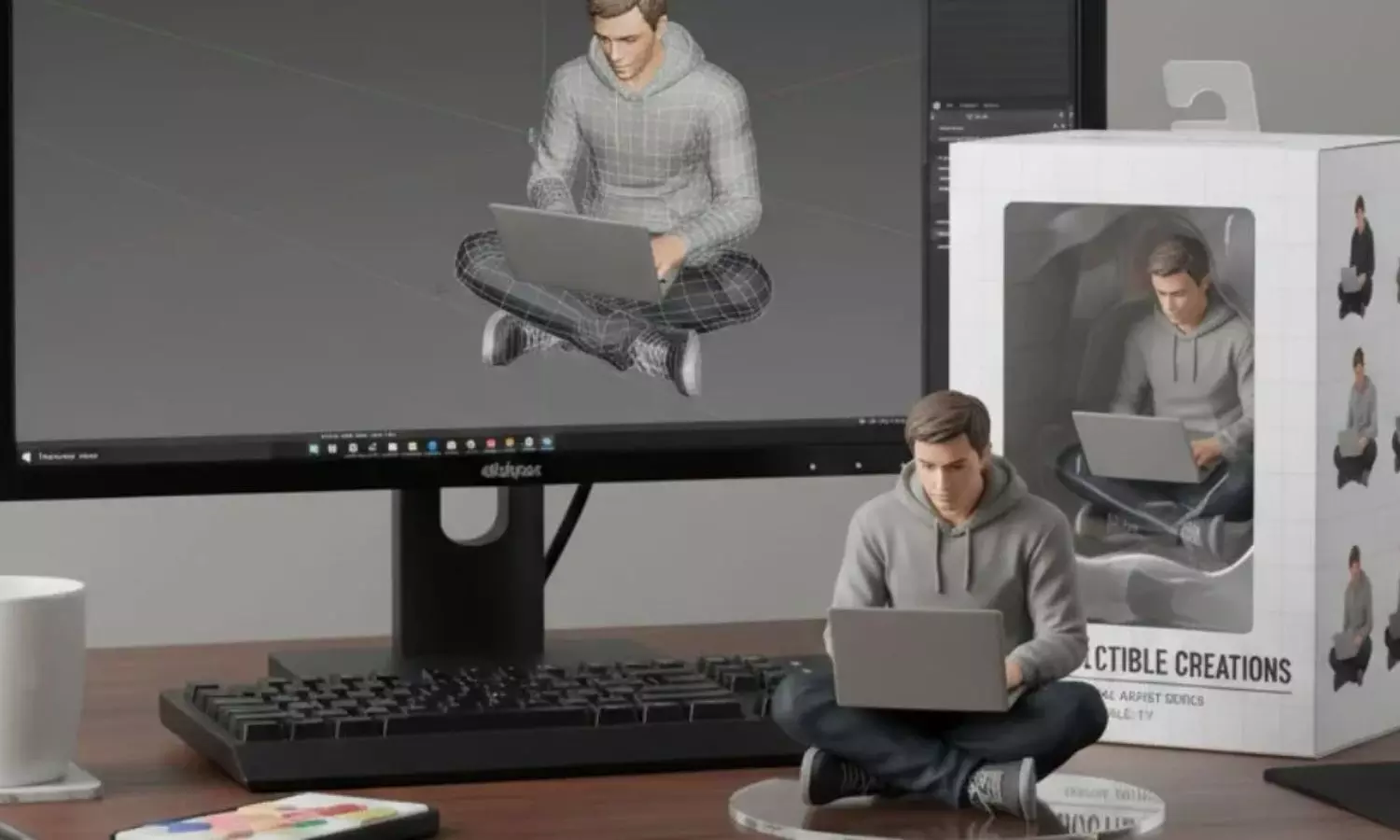
Influencers, creators, and casual social media scrollers can’t stop talking about the Google “Nano Banana” figurines. The new viral trend lets you create a photo-realistic mini collectible of yourself in a matter of minutes for free. The best part? It’s not difficult either: using a free prompt (shared by Google itself), the process is dead simple for anyone.
What is Google Nano Banana AI?
If you’ve scrolled on Instagram, TikTok, or X recently, it’s hard to have missed the little glossy almost toy-like figurines that have flooded people’s posts. The “Nano Banana” is a nickname coined by the community for a new batch of ultra-realistic 3D images created using Google’s Gemini 2.5 Flash Image model. And they’re 100% Nano Banana AI image generator results in polished images that resemble hand-shot professional collectibles. They’re not photos of handmade miniatures or other paid merchandise.
Why is it a Nano Banana AI trend?
The whole craze is spreading like wildfire because it’s super easy and ultra-rewarding. Gemini 2.5’s Flash Image tool lets anyone create studio-quality Google Nano Banana 3D figurine images in free and in seconds. What would have previously required a sculptor, a designer, and lots of work is now at the fingertips of anyone with a phone. It’s that combination of professional-looking results with barely any effort that’s why amateur hobbyists, professional creators, and even celebrities and public figures — doggos’ parents to politicians (Assam’s Chief Minister tried their hand at it, for example) — have been sharing their Nano Banana 3D AI model so enthusiastically.
How to Create Nano Banana figurine free model?
Step 1: Open Google AI Studio
You can access Google Gemini Nano Banana through the Google AI Studio either from the Gemini app or from the web interface.
Step 2: Choose your method — photo + prompt or prompt only
For best results, using both a portrait and a descriptive prompt is recommended. The former provides the model with realistic facial cues and the latter with direction about the pose and style.
Step 3: Use Google’s recommended prompt
Google posted an official prompt on X to help jumpstart users’ Nano Bananas. Following that format will make creating your figurine quick and easy.