How to Apply for MPTAAS Scholarship Online 2025-26

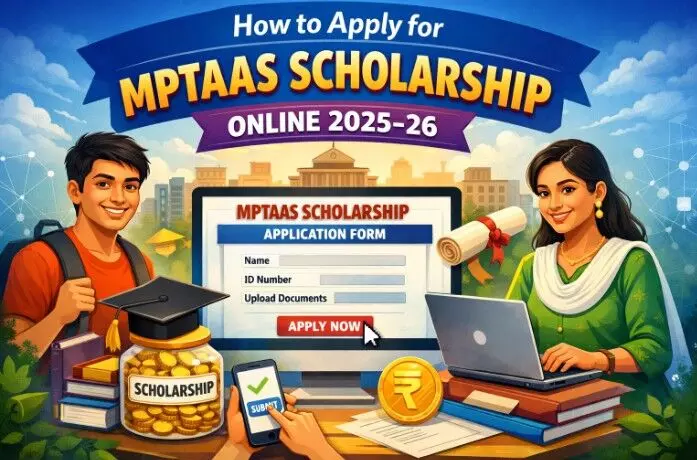
Learn how to apply for MPTAAS scholarship online through the official portal. Step-by-step MPTAAS registration, login, documents, eligibility, renewal, status check and common mistakes to avoid for MP SC, ST, OBC students.
Introduction: What is the MPTAAS Scholarship?
The MPTAAS scholarship (Madhya Pradesh Tribal Affairs Automation System) is a post‑matric scholarship scheme for SC, ST and OBC students of Madhya Pradesh. It supports students studying in Class 11, 12, diploma, graduation, post‑graduation and professional courses in recognised institutions. The entire process of registration, application, renewal and payment tracking is done online through the MPTAAS portal.
This guide explains how to apply for the MPTAAS scholarship step by step, including portal registration, MPTAAS login, required documents, eligibility conditions and how to check MPTAAS scholarship status. It is written in simple English to help first‑time applicants and also students who want to renew their MPTAAS scholarship.
Basic Eligibility Before You Apply
Before starting the online application, students should check if they meet the basic eligibility criteria. The exact rules may change with time, but generally:
- The student must be a permanent resident of Madhya Pradesh.
- The student should belong to the Scheduled Caste (SC), the Scheduled Tribe (ST) or Other Backwards Class (OBC) as notified by the MP government.
- The scholarship is available for post‑matric level studies, that is, Class 11 and above.
- The student should be studying in a recognised school, college, university or technical/professional institute.
- There is usually a maximum annual family income limit from all sources.
- The student should not be receiving another major scholarship for the same course, unless rules specifically allow it.
If any of these points are not satisfied, the application may be rejected during verification. So always read the latest MPTAAS scholarship guidelines on the official portal for confirmation.
Documents Required for MPTAAS Scholarship Application
Preparing all documents in advance makes the MPTAAS online application process smooth and error-free. Commonly required documents include:
Outsource: MPTAAS Scholarship 2025-26 | Eligibility, Registration, & More!
- Samagra ID (Composite ID) of the student
- Aadhaar card of the student
- Caste certificate (SC / ST / OBC) issued by the competent authority in MP
- Income certificate of the family, usually issued by the Tehsildar or other authorised officer
- Domicile certificate of Madhya Pradesh (if required separately)
- Previous class mark sheet or result (10th / 12th / last passed exam)
- Admission letter or bonafide certificate from the current institution
- Fee receipt or fee structure from the college/institute
- Bank passbook of the student (Aadhaar-linked savings account)
- Passport-sized photograph
- Mobile number and email ID in active use
Scanned copies should be clear, readable and within the file size limit mentioned on the portal, usually in JPG, JPEG or PDF format.
Over 8 crore job vacancies mobilised via NCS portal: Mansukh Mandaviya
Also Read: Over 8 crore job vacancies mobilised via ncs portal mansukh mandaviya
Step 1: Visit the Official MPTAAS Portal
To apply online, students first need to open the official MPTAAS scholarship portal in a web browser. Always type the website address carefully or use the link given by the Tribal Welfare / SC Welfare Department of Madhya Pradesh.
Step 2: New Beneficiary Profile Registration
If you are applying for the MPTAAS scholarship for the first time, you must create a new beneficiary profile.
registration steps:
- On the home page of the MPTAAS portal, click on “New Beneficiary Profile Registration” or a similar option.
- Enter your 8 or 10-digit Samagra ID and submit to fetch basic details.
- Provide your Aadhaar number and verify it with OTP received on the linked mobile number, if asked.
- Fill personal details like name, date of birth, gender, category, address, mobile number and email ID.
- Enter caste certificate and income certificate details if the form asks during registration.
- Create a strong password and set a security question for future login and password reset.
- After saving the form, your MPTAAS beneficiary profile is created, and you can use your Samagra ID/username plus password to log in.
Step 3: MPTAAS Student Login
- Once registration is completed, the next step is the MPTAAS student login.
- Go back to the portal home page and click on the “Login” button.
- Enter your User ID (often Samagra ID) and password created at the time of registration.
- Enter the captcha code shown on the screen.
- Click on “Login” to open your MPTAAS dashboard.
- If the password is forgotten, use the “Forgot Password” option and reset it using the registered mobile number or email.
Step 4: Start New MPTAAS Scholarship Application
Inside the student dashboard, you will see different services. To apply for a scholarship:
- Look for the “Post Matric Scholarship (PMS)” or “Apply Application” option.
- Choose the correct academic year for which you want to apply.
- Select application type – Fresh (for first-time applicants) or Renewal (for students who already received a scholarship last year).
- Click on “Go for Apply” or a similar button to open the full MPTAAS scholarship form.
Make sure you choose the correct academic session and course year, because the scholarship is sanctioned year-wise.
Step 5: Fill in Personal and Academic Details
In the MPTAAS scholarship form, enter all details carefully:
- Personal information: name, father’s name, mother’s name, date of birth, category, religion, disability (if any), marital status, etc.
- Address details: complete permanent and correspondence address, district, tehsil, pin code.
- Academic information: present course name (e.g., BA, BSc, BTech, Diploma, ITI, 11th, 12th), course year (1st, 2nd, 3rd, etc.), board/university, institute type (government / private), medium of study.
- Previous qualification: last exam passed, year of passing, marks obtained or grade, board or university.
Enter the information exactly as written on educational documents. Mismatched spelling or incorrect marks may create problems during verification.
Step 6: Enter Institute and Course Details
Next, you need to enter details about your school/college/university:
- Select state (Madhya Pradesh or other state if permitted).
- Choose the district and then your institute name from the drop‑down list.
- Enter the admission date, admission number/roll number.
- Select course type: regular, correspondence, professional, or non‑professional as applicable.
- Provide course duration (number of years) and current year of study.
If your college or course is not visible, contact the institution or MPTAAS helpline before submitting the form. Applying to the wrong institute may delay or cancel the scholarship.
Step 7: Provide Bank and Income Details
Bank and income information is very important for the MPTAAS scholarship:
- Enter bank account number, bank name, branch name and IFSC code exactly as written in the passbook.
- The bank account should normally be in the name of the student and linked with Aadhaar for direct benefit transfer (DBT).
- Fill income certificate number, issuing authority and issue date.
- Provide the annual family income amount as mentioned on the income certificate.
- Any mistake in the account number or IFSC may cause payment failure, so recheck this part more than once.
Step 8: Upload Required Documents
The MPTAAS portal will ask you to upload scanned copies of documents:
Typical uploads:
- Student photograph
- Aadhaar card
- Samagra ID screenshot or document, if needed
- Caste certificate
- Income certificate
- Domicile certificate (if applicable)
- Previous class mark sheet
- Current year admission letter or bonafide certificate
- Fee receipt or fee structure
- Bank passbook first page
Ensure that:
- Files are within the maximum size limit.
- Documents are clear, not blurred or cut.
- Names and numbers in documents match the details filled in the form.
Step 9: Review and Submit the Application
Before final submission:
- Click on “Preview” or “Review” to see the complete MPTAAS scholarship form.
- Check each section – personal details, academic information, bank details and uploaded documents.
- Correct any spelling mistakes, wrong dates, or mismatches using the “Edit” option.
- After confirming that all information is accurate, click on “Submit Application” or “Final Submit”.
Once the form is finally submitted, editing may not be possible. A confirmation message or application number/reference ID is usually generated after successful submission.
Step 10: Print Application and Submit to the Institute (If Required)
In many cases, students are asked to:
- Download or print the submitted application form.
- Attach photocopies of documents.
- Submit the printout to their school/college / university for physical verification.
Follow the instructions shown on the portal after submission or those issued by your institute. Without institute verification, the MPTAAS scholarship proposal may not move forward.
How to Check MPTAAS Scholarship Status
After applying, students often want to know whether their MPTAAS scholarship is approved or not. The general process is:
- Visit the MPTAAS portal and log in with your credentials.
- Look for “Application Status”, “Track Status” or “Scholarship Status” option.
- Select the academic year, and if required, enter your application number.
- The system will show whether your form is pending at the institute level, under scrutiny, approved, rejected or payment sent.
- Regularly checking MPTAAS scholarship status helps you identify problems early, such as document mismatch or incomplete verification.
How to Renew MPTAAS Scholarship
For students who have already received the MPTAAS scholarship in the previous year, renewal is usually simpler:
- Log in to the MPTAAS student dashboard.
- Click on PMS or “Apply Application” and choose “Renewal” as application type.
- Select the new academic year and current course year.
- The system may auto‑fill old details; verify and update information like address, bank details or course year if necessary.
- Upload the latest mark sheet and any new documents asked for renewal.
- Submit the renewal application and note the reference number.
- Timely renewal ensures there is no gap in scholarship benefits.
Common Mistakes to Avoid While Applying
To avoid rejection or delay in the MPTAAS scholarship, students should be careful about:
- Entering the wrong Samagra ID or Aadhaar number.
- Using a bank account not in the student’s name or not linked to Aadhaar.
- Uploading unclear or expired income and caste certificates.
- Selecting the wrong course year, institute or academic session.
- Waiting till the last date; heavy traffic can cause server issues.
- Ignoring SMS or portal messages asking for correction or resubmission.
- Always keep your mobile number and email updated, as official alerts are sent there.
FAQs
1. Who can apply for the MPTAAS scholarship online?
SC, ST and OBC students of Madhya Pradesh studying in post‑matric courses in recognised institutions can apply, subject to income and other conditions.
2. Is Aadhaar mandatory for the MPTAAS online application?
In most cases, Aadhaar is required for e‑KYC and DBT, so it is strongly recommended to link Aadhaar with your bank account before applying.
3. Can students apply from mobile?
Yes, if the portal is mobile responsive or an official MPTAAS app is available, students can register, log in and apply from a smartphone with a stable internet connection.
4. What to do if the application is rejected?
Check the reason for rejection shown in the portal or ask your institute. Correct mistakes (documents, income, category, etc.) and re‑apply in the next cycle if rules permit.
Final Tips for a Successful MPTAAS Application
Start your MPTAAS scholarship application as soon as the portal opens; do not wait for the deadline.
Keep all original documents ready and scan them clearly.
Fill every detail exactly as shown in the official records to avoid a mismatch.
Regularly log in to your MPTAAS account to track status and respond to any corrections requested.