What Is Image Mover and How Does It Turn Images Into Videos?

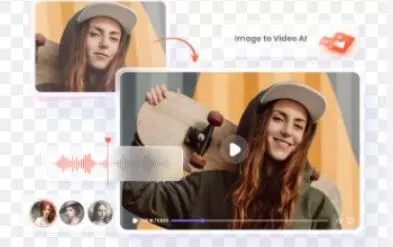
Artificial intelligence has opened the door to powerful tools that can transform ordinary photos into dynamic motion clips. One such technology gaining attention is image mover, a term often used to describe AI systems that add motion, depth, and animation to still images. These tools make it possible to turn a simple picture into a smooth, eye-catching video within seconds. But what exactly is an image mover, how does it work, and why is it becoming so popular?
Let’s explore how this technology works and why creators everywhere are using it.
What Is an Image Mover?
An image mover is an AI tool designed to add movement to a static photo, transforming it into a short video. Instead of capturing motion with a camera, the AI predicts how elements in the image should move and generates smooth, natural-looking animation.
Image mover tools come in many styles:
- Some focus on facial animation
- Some create depth-based camera movement
- Some turn landscapes into cinematic scenes
- Others add creative or artistic motion
What makes these tools powerful is that they don’t require professional editing skills. Anyone can upload a photo and instantly receive a moving video.
How Image Mover Technology Works
To understand how these tools turn still images into videos, you need to look at how they process visual data. Image mover AI works through three major steps:
1. AI Analysis of the Image
When you upload a photo, the AI begins by analyzing it. This includes:
- Detecting faces, shapes, and objects
- Reading depth information
- Identifying background layers
- Studying lighting and shadows
- Mapping the edges and structure of the entire picture
This analysis helps the AI understand how the image could realistically move.
2. Predicting Motion Paths
After analyzing the photo, the image mover uses machine learning models to generate motion paths. This means the AI decides:
- How the head or face should move
- How the camera should pan or zoom
- How the background should shift
- How natural motion should flow across the image
If the photo includes a face, the AI predicts blinking, head turns, eye movement, lip motion, or subtle expressions. If it’s a landscape, the AI may simulate wind, lighting changes, or depth-based camera movement.
3. Rendering the Final Video
Once the motion paths are created, the tool renders a full video. This can be:
- A few seconds long
- A cinematic looping clip
- A vertical video for social media
- A parallax or 3D-style animation
The final result is a smooth, moving visual that comes from a single still image.
What Makes Image Mover Tools So Popular?
Image mover platforms have become extremely popular among creators, businesses, and social media users for several reasons:
1. No Video Editing Skills Needed
You don’t need to be a professional editor. Just upload a photo, choose a motion style, and the AI handles everything else.
2. Fast Results
Most tools generate a video within seconds, making them perfect for:
- TikTok content
- Instagram Reels
- YouTube Shorts
- Presentations
- Marketing campaigns
3. Highly Creative
Image mover tools let you experiment with effects that were once difficult or expensive to create manually.
Some popular styles include:
- Cinematic panning
- 3D zoom
- Slow-motion depth animation
- Artistic atmospheric motion
- Facial animations that feel alive
4. Great for Social Media Engagement
Motion videos grab attention more quickly than static images. A moving photo stands out in a feed, helping you get more likes, comments, and visibility.
Types of Videos You Can Create With an Image Mover
Depending on the tool, you can turn images into many types of videos:
- Portrait animation — making a person blink, smile, or move
- Vintage photo animation — bringing old memories to life
- Cinematic landscape motion — adding depth and camera movement
- Creative art animation — turning drawings into dynamic clips
- Product showcase clips — animating objects with smooth movement
People use image mover technology for fun, storytelling, marketing, and even professional presentations.
Is Image Mover Good for Everyone?
Yes — the beauty of image mover tools is their versatility. Whether you’re a beginner or an advanced creator, you can benefit from this technology. It is ideal for:
- Social media creators
- Photographers
- Businesses
- Advertisers
- Students
- Everyday users who want fun animations
The output depends on the tool you choose, but almost all platforms make the process simple and enjoyable.
Final Thoughts
Image mover technology shows how powerful modern AI can be. With just one photo, you can create a smooth video featuring lifelike movement, cinematic effects, or creative animation. The process is fast, simple, and requires no editing experience.
Whether you want to bring old portraits to life, enhance your content, or make eye-catching videos for social media, an image mover tool can transform your visuals instantly. As this technology continues to evolve, we can expect even more advanced motion effects and realistic animations in the near future.