Microsoft Word to Save New Documents Directly to Cloud for Windows Users

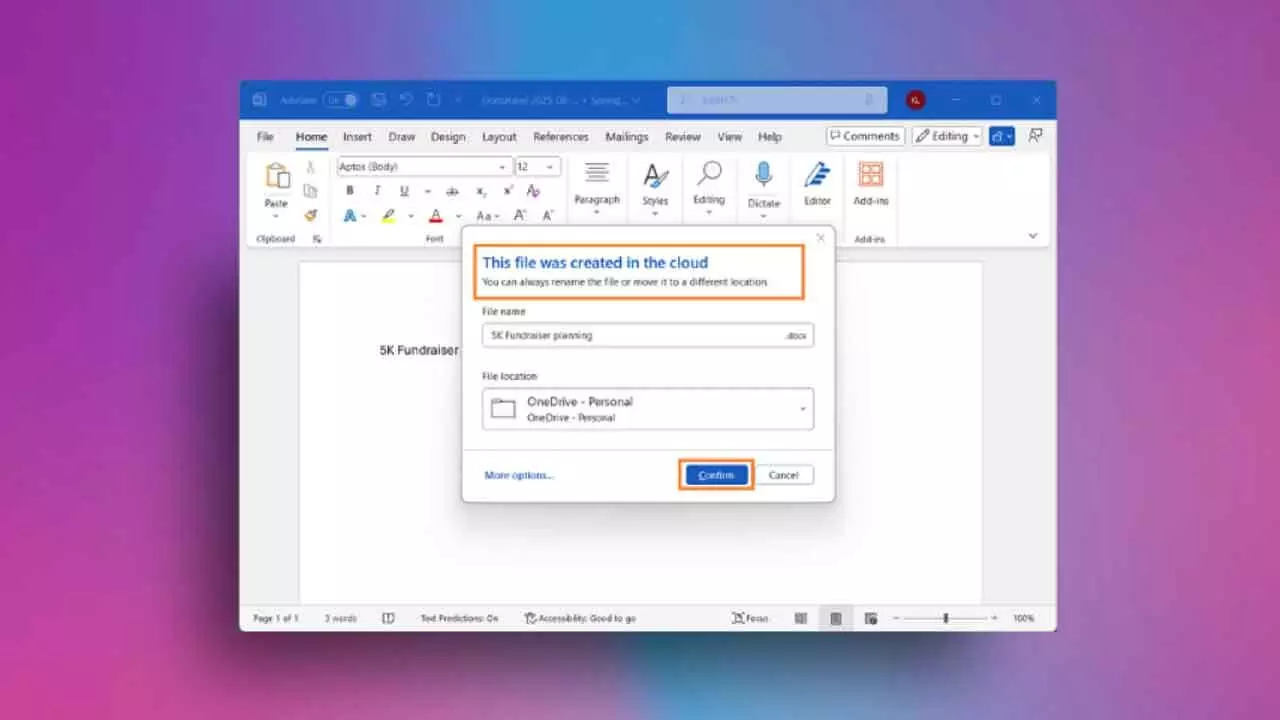
Microsoft Word will now save new documents automatically to OneDrive or cloud storage, ensuring better access, backup, and device synchronisation.
Microsoft is updating the way Word for Windows saves files, aiming to simplify and enhance document management. The company has begun testing a new update with Microsoft 365 Insiders, where all new documents will now be saved directly to the cloud by default.
Raul Munoz, product manager on the Office shared services and experiences team, explained the shift: “We are modernising the way files are created and stored in Word for Windows. Now you don’t have to worry about saving your documents: Anything new you create will be saved automatically to OneDrive or your preferred cloud destination.”
The move is designed to ensure that users never lose their work and can access documents seamlessly across devices, whether through Android, iOS, or a web browser. New files will also adopt a fresh naming format based on dates instead of the current system, which appends numbers to filenames. Users will still be able to set a preferred cloud location or choose to disable automatic cloud saving altogether.
This step continues Microsoft’s long-standing push towards cloud integration. Word already features an AutoSave option tied to cloud storage, and Windows frequently prompts users to enable OneDrive backups. While this update offers convenience and cross-device accessibility, it also introduces another hurdle for those who prefer saving files locally.
Some users have voiced concerns over this forced shift. In comments on Microsoft’s blog, one user noted: “It seems that every few years Microsoft adds yet another step that users have to jump through to get to their files. It used to be very simple with the C drive being prominently displayed.”
The change is currently limited to Microsoft 365 Insiders, but it signals a broader move toward making cloud storage the default standard in Word for Windows. As Microsoft continues steering its ecosystem deeper into cloud reliance, users may need to adapt to new workflows—or keep pushing back for local storage simplicity.